Reviews Guide
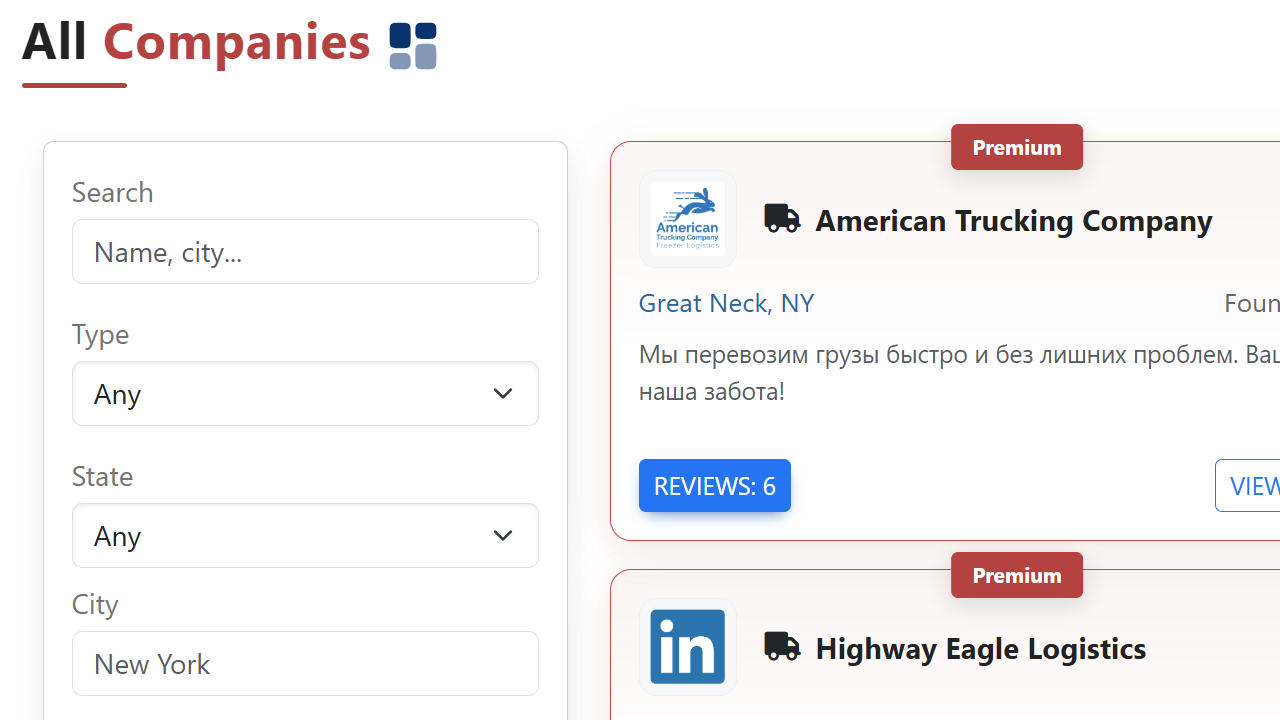
Find a company
Go to the Companies section in the menu. Browse the catalog or use the search to find the company you want to review.
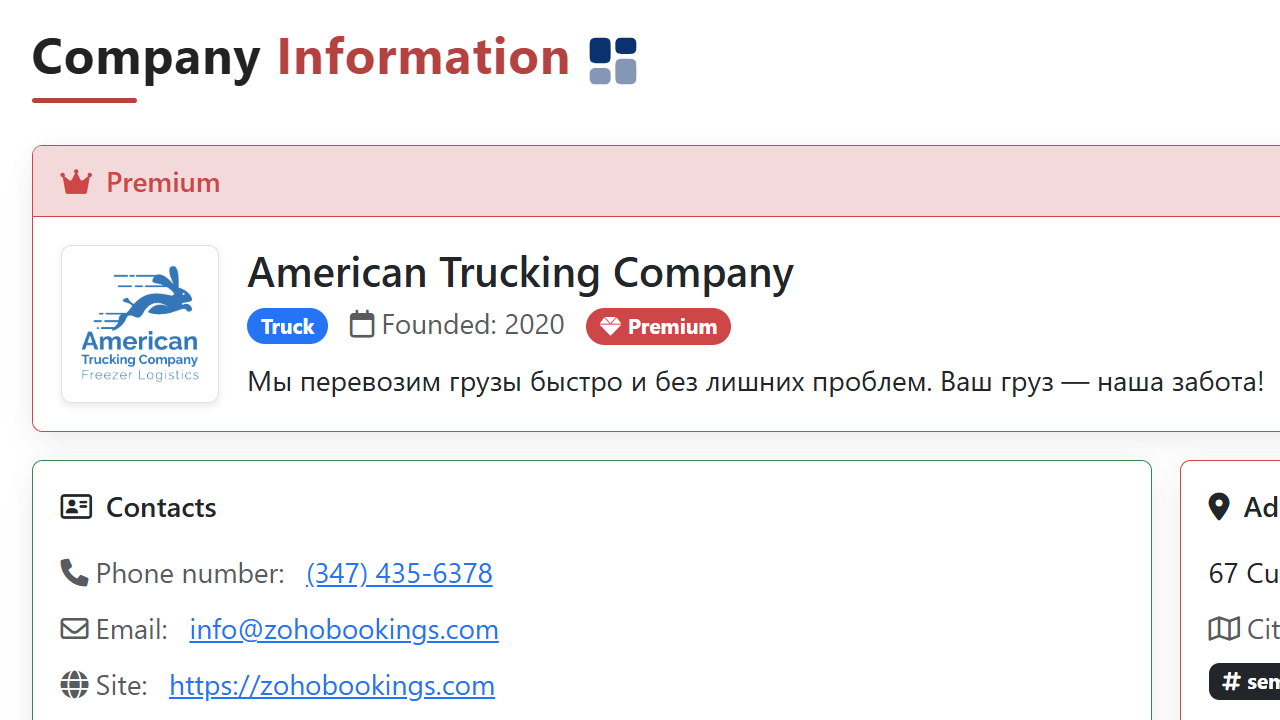
Open company profile
On the company profile page you can see general info, rating, and existing reviews. Scroll to the bottom of the page to find the review form.
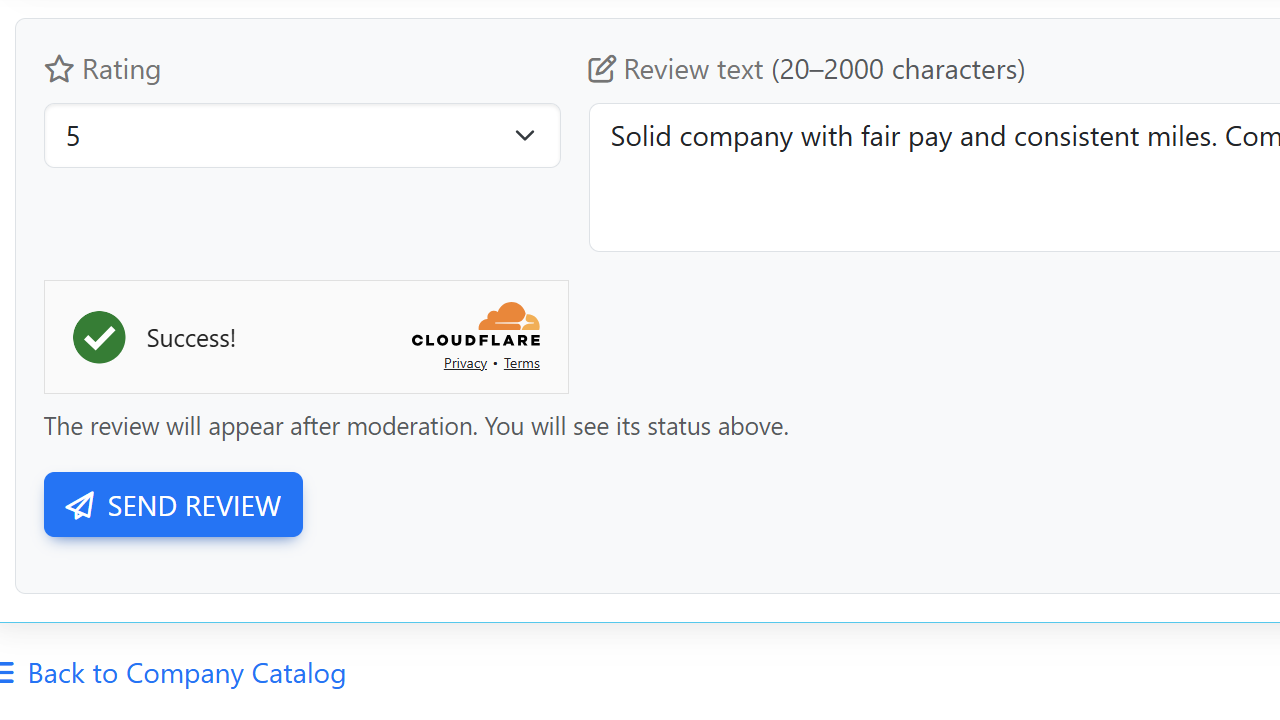
Write your review
Fill in the form: select a rating (1–5 stars), add your comment (20–2000 characters), and click Send Review. Keep your review clear, respectful, and useful.
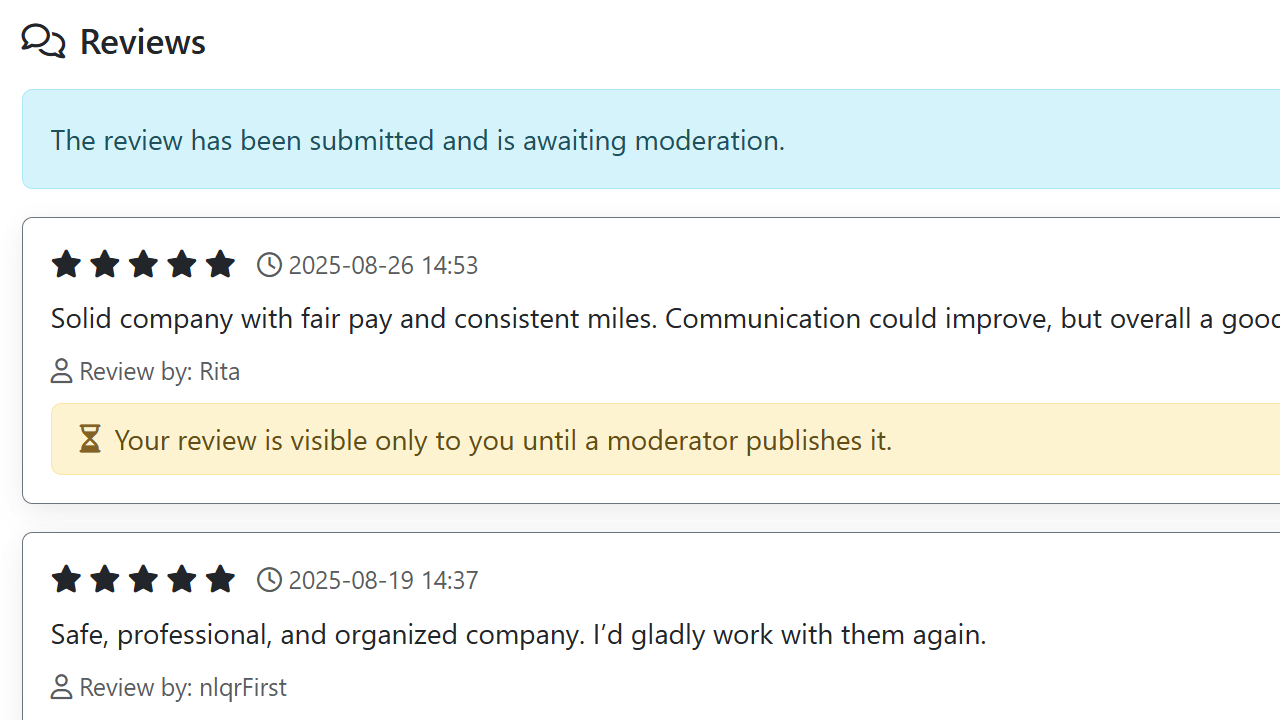
Moderation
Every review goes through moderation before being published. This protects quality and prevents spam. While pending, your review is marked 'Under review'.

Get notified
After approval, you'll receive an email notification. Revisit the company profile to see your review live and share it with others.

Prize drawing
We will run a prize drawing for the most helpful 5-star review of the month. The winner will be selected among published reviews with clear, useful details for other drivers.
- Only published reviews participate
- Quality and usefulness matter
- Results announced in News